![[Journal] New Rendering Process](https://bakemono.app/data/11/32/11322bc830e92128e96d3287968b576fb33add1c86e924b5607f6d69b148a473.jpg?f=555712c7-8bbd-4a51-af2a-9d63ff98c298.jpg)
┏━━━━━━━━━━━━━━━━━━━━━━━━━━━━━━━━━━━━┓
┃ This journal is code-related. ┃
┃ It's definately not a high-level, but It might be boring enough. ┃
┗━━━━━━━━━━━━━━━━━━━━━━━━━━━━━━━━━━━━┛
During making animated obstacles for Pipeline:map_5, I noticed that I should Implement few rendering function to move designs I made in Clip Studio tool.
I needed to implement "clipping" function to make animation blend good with the map.
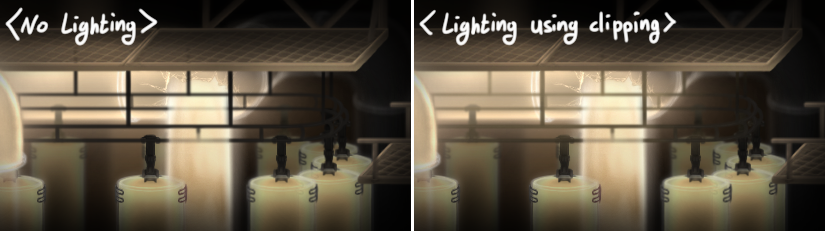
I also needed to implement "masking" function to reduce overall filesize for animation.

Lastly, I needed to make different rendering method(filter) to express the more impressive fluid transparnecy (and also more vibrant color expression).
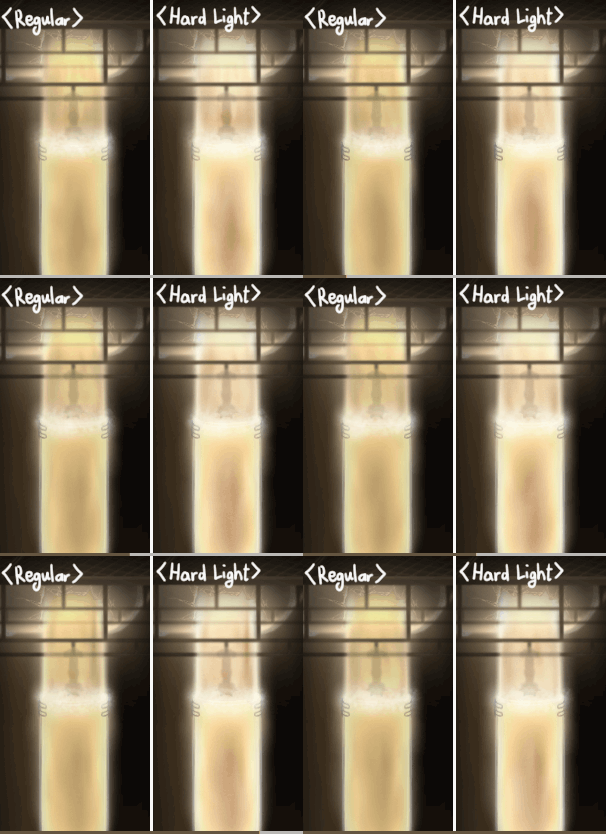
Until now, I used only one "framebuffer" for a game screen. But as normal(embeded codes) method doesn't support all the three functions that I need, I had to make multiple framebuffers.
- How Clipping should be done
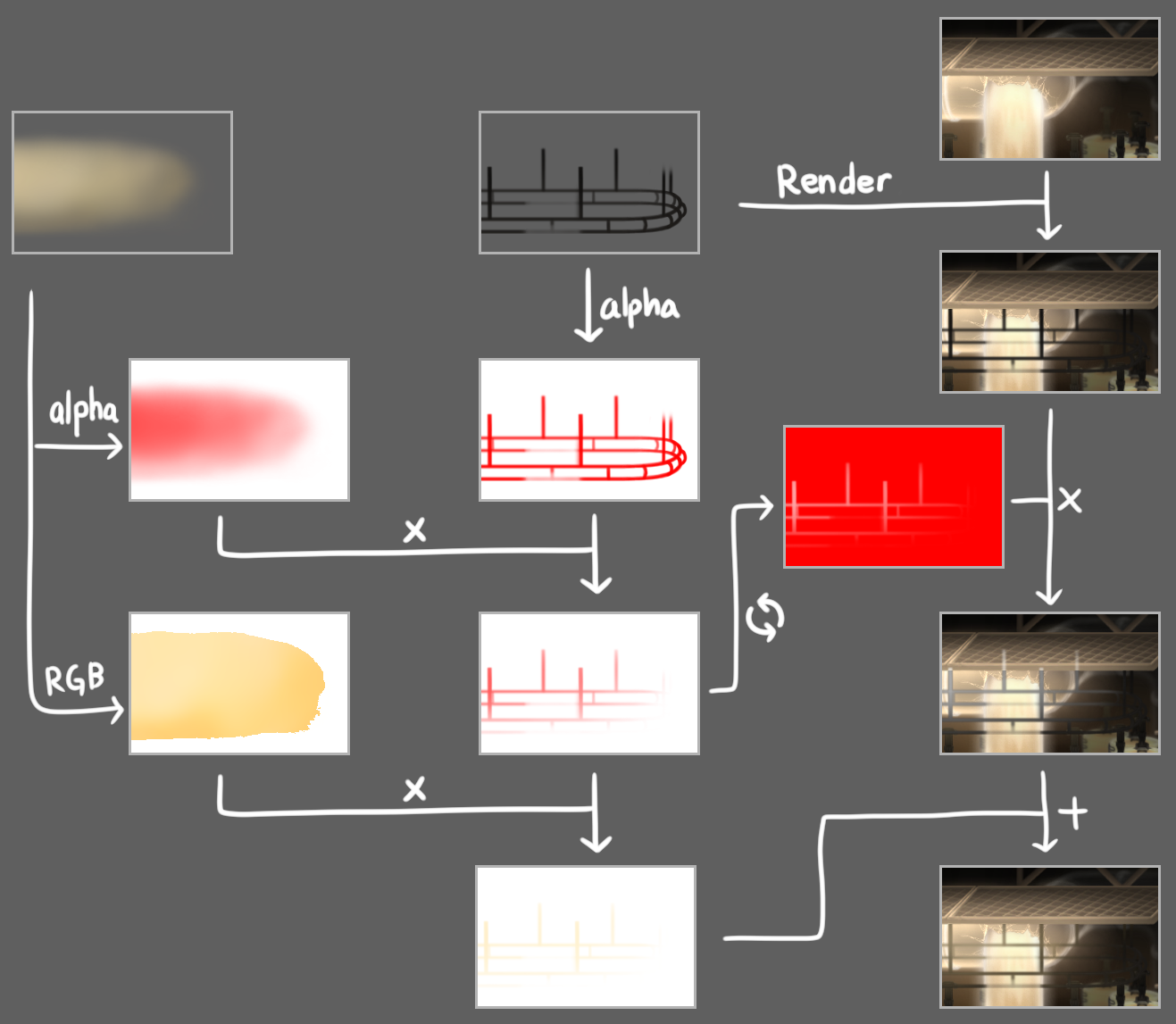
- How Masking should be done

- How "Hard Light" filter should be done
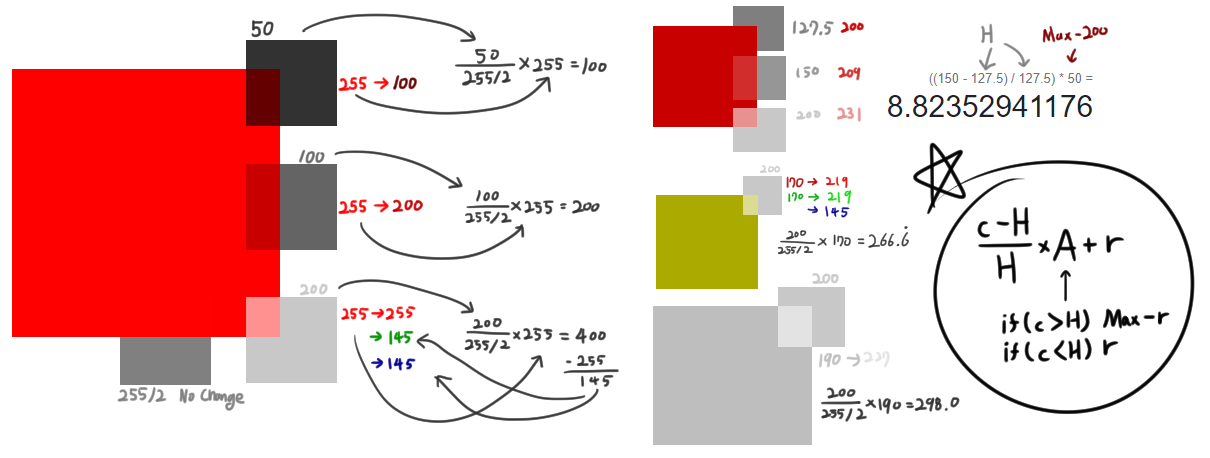
With all three of them finished. I could be able to make animation loads faster, and precise.
[Design in Clip Studio]
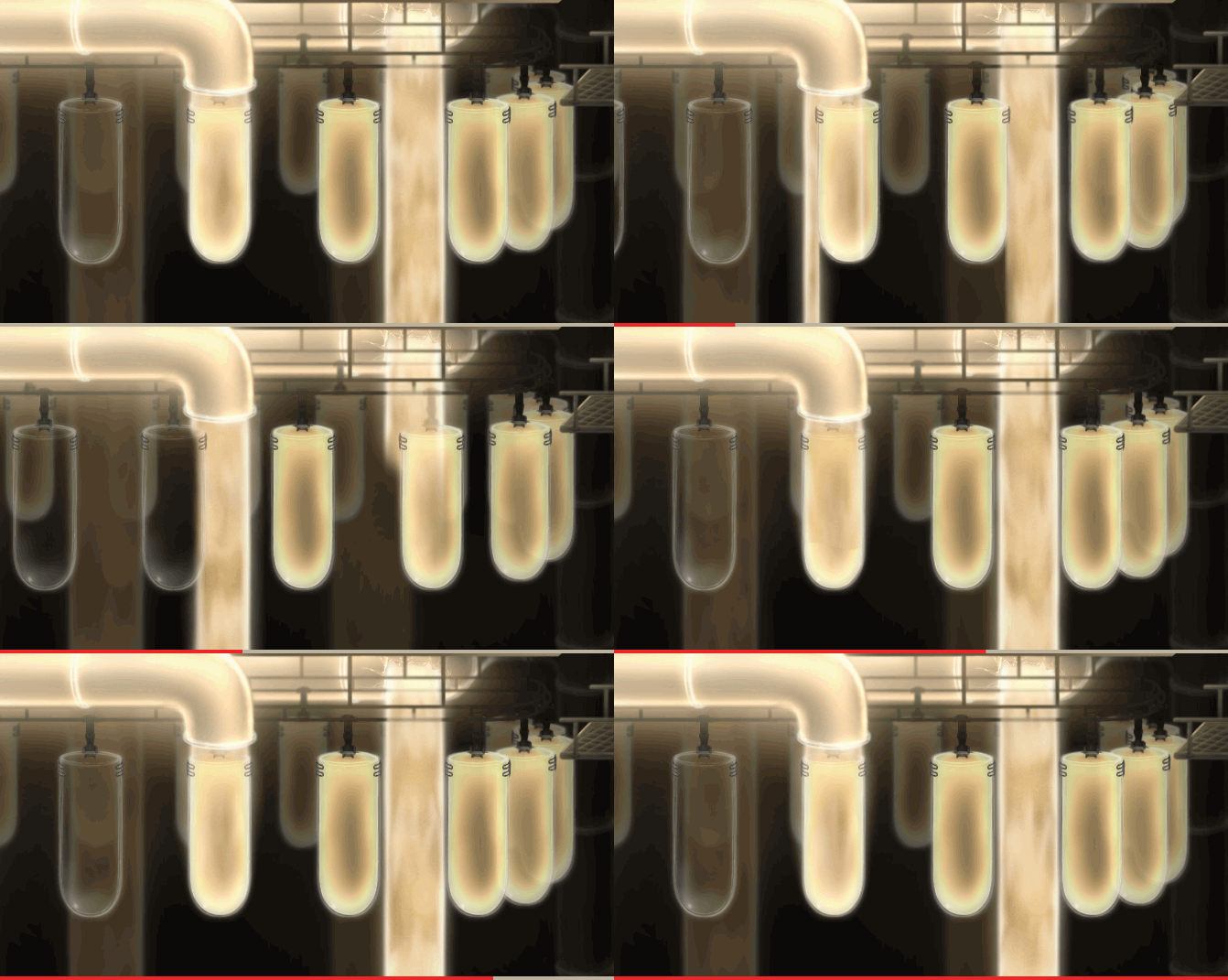
[In-game Animation]

(I just noticed that I didn't implement the background falls XD)